
Open Source
WebSmart uses PHP, an open source language developed specifically to create web applications.
Ready to wrangle IBM i modernization? Fresche is riding into Fort Worth for POWERUp & we can’t wait to meet you. Visit us at booth #109!
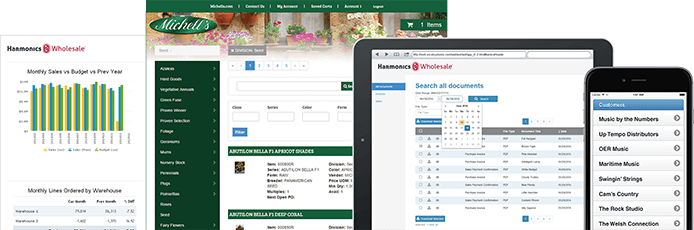



The PHP edition is the fastest way for RPG, PHP and other programmers to develop IBM i and multi-platform PHP web applications. It’s more than a PHP editor: It’s a rapid web application development tool that includes program templates that guide you through creating database-driven web applications in minutes. You can further customize the applications in the IDE to create powerful web applications that can be accessed from PCs, tablets and smartphones.
WebSmart uses PHP, an open source language developed specifically to create web applications.
Find thousands of free PHP scripts online to plug into your own code.
Leverage IBM i PHP bundles that will help you get started as successfully and efficiently as possible.
PHP templates shorten the web dev learning curve by generating the starting PHP, HTML, CSS, and JavaScript.
It also runs on other PHP supported platforms, including Windows, Linux and Unix.
PHP is easy for RPG programmers to learn because you can code procedurally or OO. It’s also easy to find PHP developers.
Even if you have no web development experience, with WebSmart, you will create database-driven desktop and mobile web applications on day one. Customize the applications in the IDE to create powerful applications for any business need.

The functionality in ILE programs is handled by PML, our custom 4GL language that generates RPG and requires fewer lines of code.

It includes functions that make it easy to call existing RPG programs and modules so you can leverage your investment in IBM i.

WebSmart was developed with RPG programmers in mind, purpose built to ease their transition to web development.

There is a seamless connection between ILE and DB2 during development and runtime. Our ILE web applications run 100% with maximum security and reliability.
WebSmart’s templates create the starting application and API code base and its IDE includes productivity tools that streamline development.
Built with RPG programmers in mind and makes it easy to integrate existing RPG and COBOL code to leverage your investment in IBM i.
Choose between PHP and ILE editions. PHP is a popular open-source language that helps attract new developers.
Extend your ERP and develop desktop and mobile web applications for any business need (B2B order entry, eCommerce, invoicing, inquiries and more).
Provides the flexibility to create IBM i or multiplatform (Windows, Linux, Unix) web applications over DB2, MySQL, Oracle or MS SQL data.
Our tech support team is consistently rated one of the best. You get unlimited support for the life of your support agreement and during your evaluation.
Accelerate RPG, PHP, and API development with responsive templates and deliver a modern, accessible, and competitive UX with WebSmart. Built for RPG developers, WebSmart is easy to use and integrates seamlessly with your IBM i applications.
billed annually / per LPAR*
Get full access to WebSmart. Choose between the ILE or PHP Edition.
*Certain geographic exceptions may apply
billed annually / $2,000 per year*
Nexus is an IBM i-hosted web portal that gives employees, vendors, and customers secure, organized access to enterprise information from their browsers.
Jumpstart your IBM i web development project with the professional services bundle. 20 hours of professional services included to help with installation/ configuration, strategy & planning, wireframing, or development.
Learn how digital applications add value to your organization by driving revenue, increasing competitive advantage, and improving end-user experience.
Download eBook